Load Sheet
A smarter way to get planes off the ground.
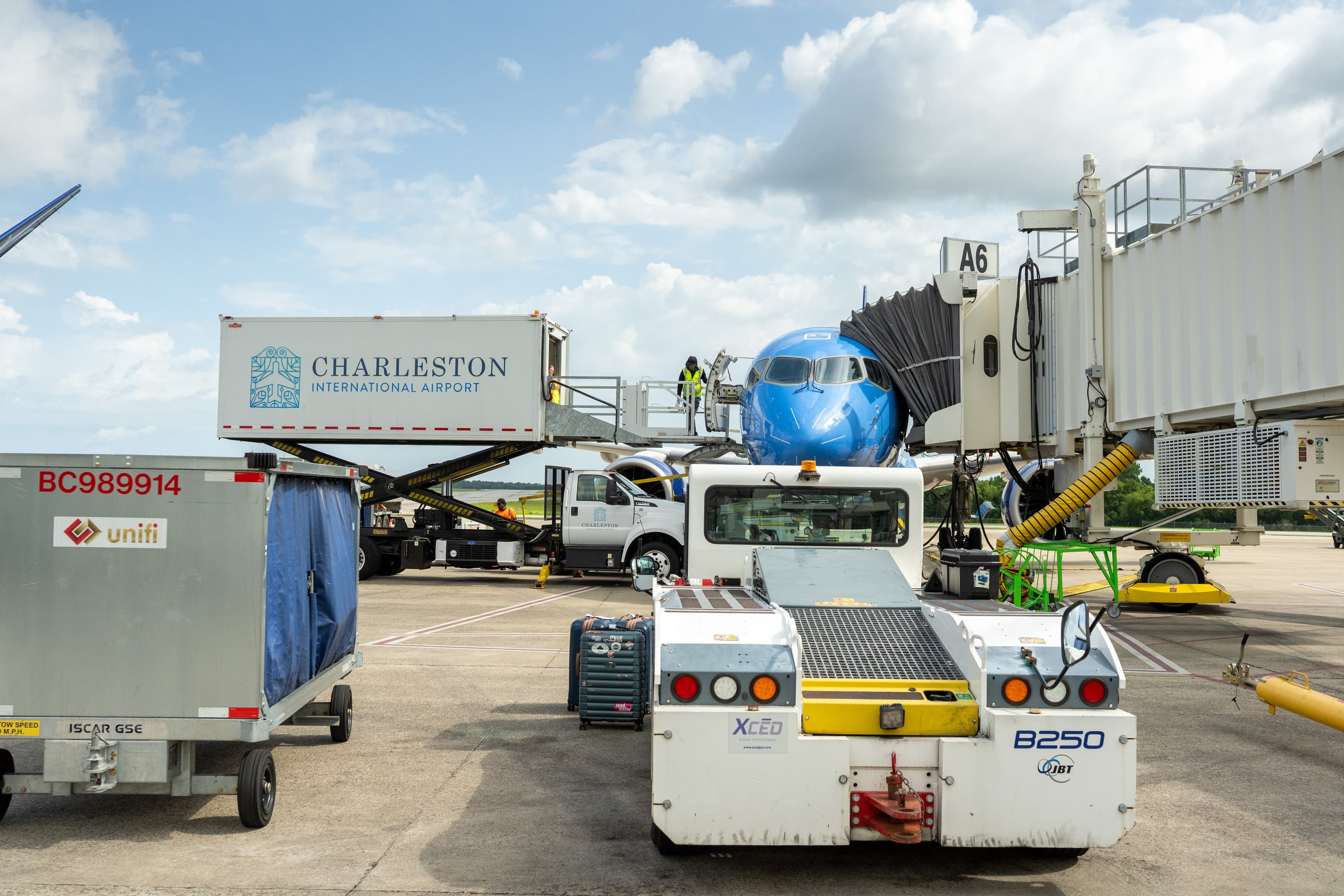
At Breeze Airways, every flight requires a load sheet, a record of passenger seating and baggage placement used to calculate the aircraft’s center of gravity before takeoff. What started as a paper form became the foundation for a multi-year product initiative that improved safety, reduced costs, and streamlined ramp operations across the airline.
I led the design of the load sheet from its first iteration through its current evolution, partnering closely with ground operations, station training teams, and third-party ramp contractors to build a tool that’s both operationally safe and easy to use in high-pressure environments.
A carbon-copy form with compounding issues
The original load sheet was a carbon-copy paper form. It had three compounding issues that exposed the airline to safety and compliance risk.
Manual data transcription errors. Agents had to hand-copy a passenger manifest table (adults, children, and infants) for every single flight. Any transcription mistake could compromise the accuracy of the center-of-gravity calculation.
FAA compliance risk. The FAA requires load sheet records to be retained for 180 days. Paper forms had no reliable storage system. In the event of an audit or incident, locating a specific flight’s documentation would have been extremely difficult, exposing the airline to potential fines.
Non-standard special item logging. Any non-standard item (car seats, strollers, walkers) had to be logged individually with its own weight. In practice, agents would write “car seat x3” with a single weight instead of three separate entries, creating recurring compliance and accuracy issues.
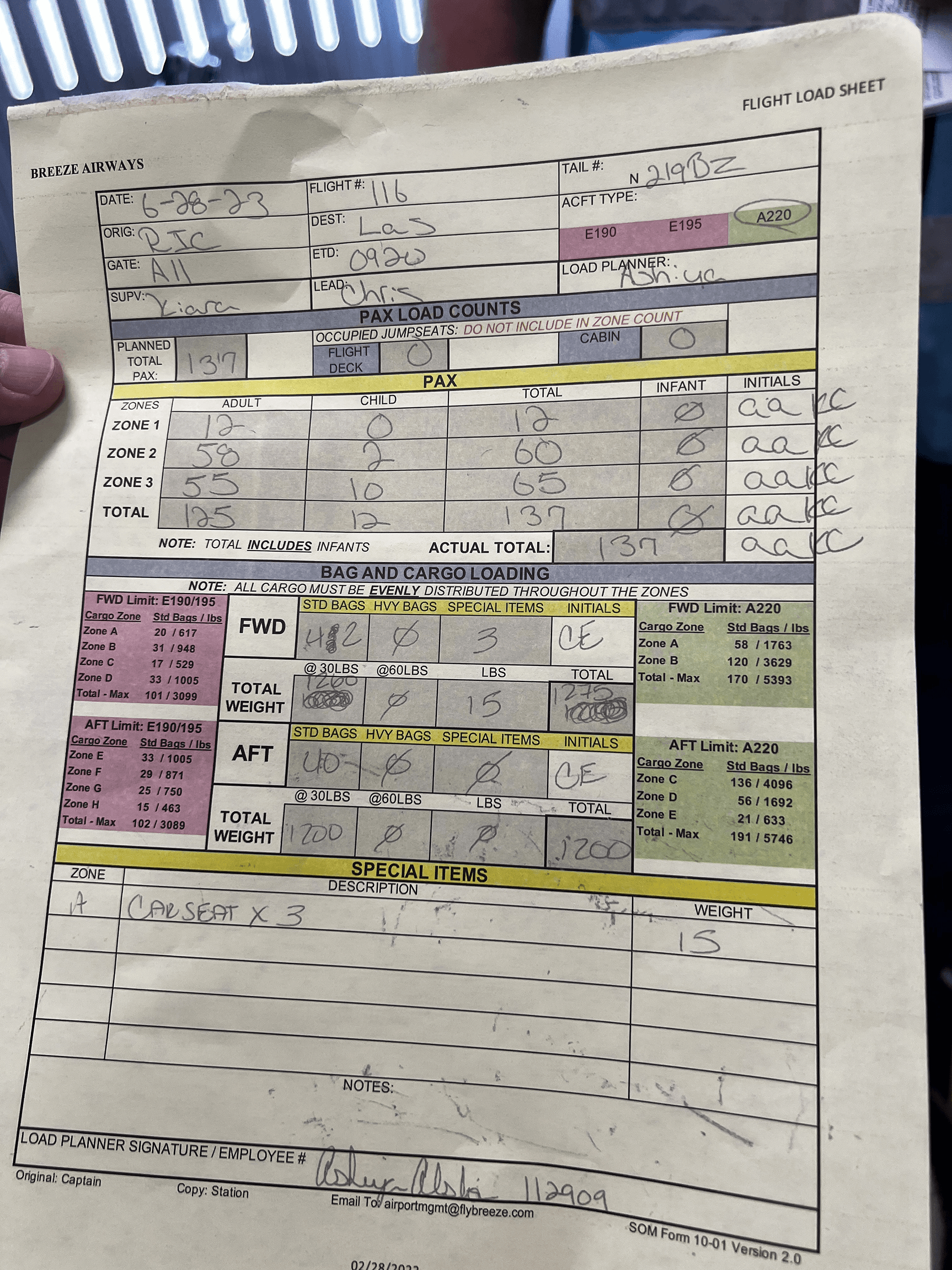
The original paper load sheet: hand-filled for every flight, prone to transcription errors and difficult to archive.
Getting off paper
The first version focused on solving the core problems: eliminating manual data entry and establishing digital record-keeping.
Design approach: A single-page view that surfaced the existing flight manifest data automatically, gave ramp crew a place to log baggage, and allowed gate agents to verify passenger counts. Pilots could review and sign off digitally. Special items had a structured input that enforced one-entry-per-item logging.
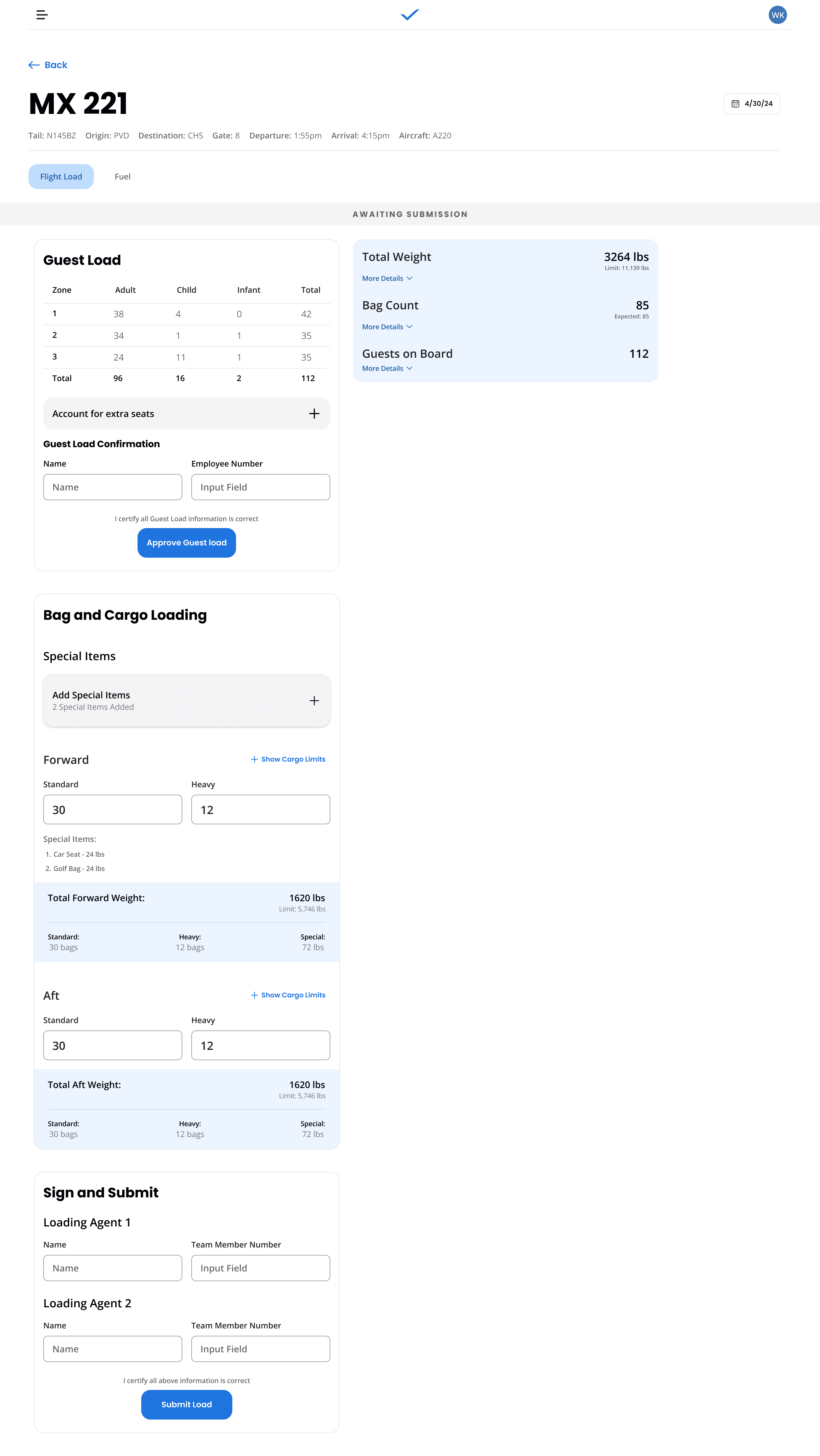
- •FAA-compliant digital records stored reliably for every flight
- •Passenger table data pulled automatically; no more manual copying
- •Special items logged correctly and individually
Version 1 was a meaningful improvement. But after about a year in production, new patterns started to emerge.
Designing for the ramp
In a high-stress ramp environment, the single-page layout introduced a subtle but serious failure mode: agents would scroll past the section they were working in and enter data in the wrong place. The aircraft cargo hold is split into a forward bin and an aft bin, and bags were being logged in the wrong bin with increasing frequency. This was a safety concern.
After meeting with our third-party ground operations contractors and synthesizing feedback from across the operation, we identified a key insight:
There are three distinct users of a single load sheet: gate agents (boarding passengers), ramp agents (loading bags), and pilots (reviewing and submitting to the flight computer). Their needs are different enough that they shouldn’t share a single view.
I coined a guiding principle for the redesign:
“You only work on what you work on, when you’re working on it.”
The goal was to make it structurally impossible to accidentally enter data in the wrong section by ensuring each user only ever sees what’s relevant to them in that moment.
Separated flows by role. Gate agents, ramp agents, and pilots each received their own dedicated flow. Each could be completed and submitted independently, eliminating the coordination friction that had made v1 submissions unreliable.
Focus Mode header. We introduced a stripped-down header variant for station agents, surfacing only the most operationally relevant information for time-sensitive departures, removing everything else from view.
Plane diagram + color coding. To eliminate forward/aft confusion regardless of language or experience level, we introduced a visual diagram of the aircraft that highlighted the specific bin the agent was working in. If you’re loading the aft bin, you see the rear of the plane highlighted on your iPad. This matched what agents could physically see on the side of the aircraft, creating an intuitive spatial reference that required no terminology knowledge to interpret. Given the high turnover in station roles, the goal was a system that was easy to learn and hard to get wrong.
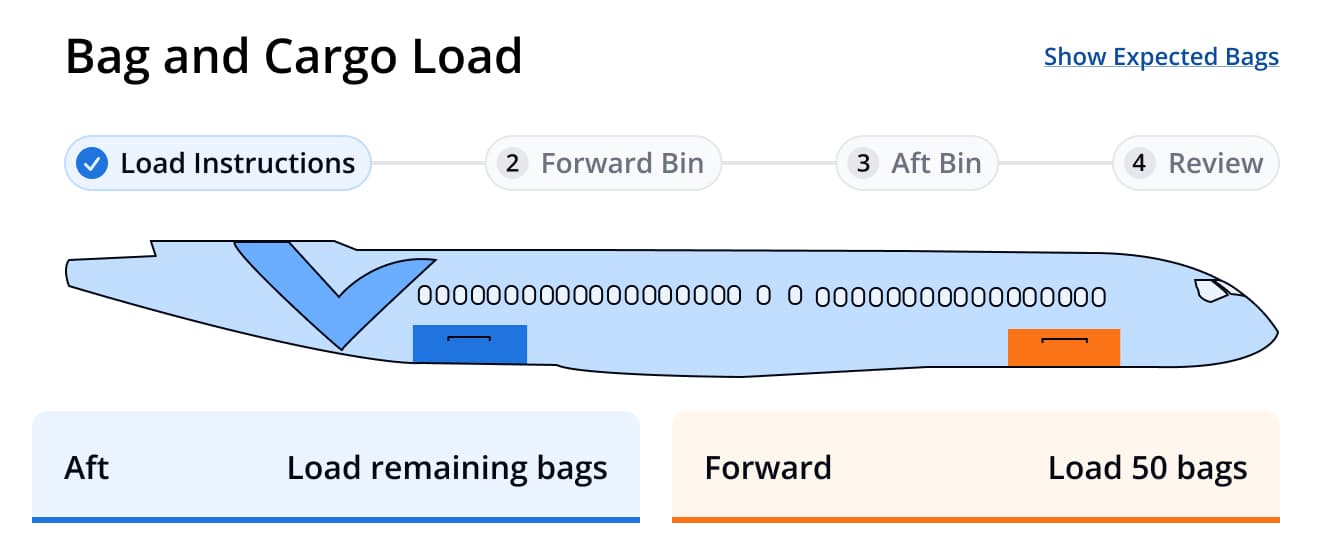
The plane diagram UI: color-coded bins make it structurally clear which section the agent is loading.
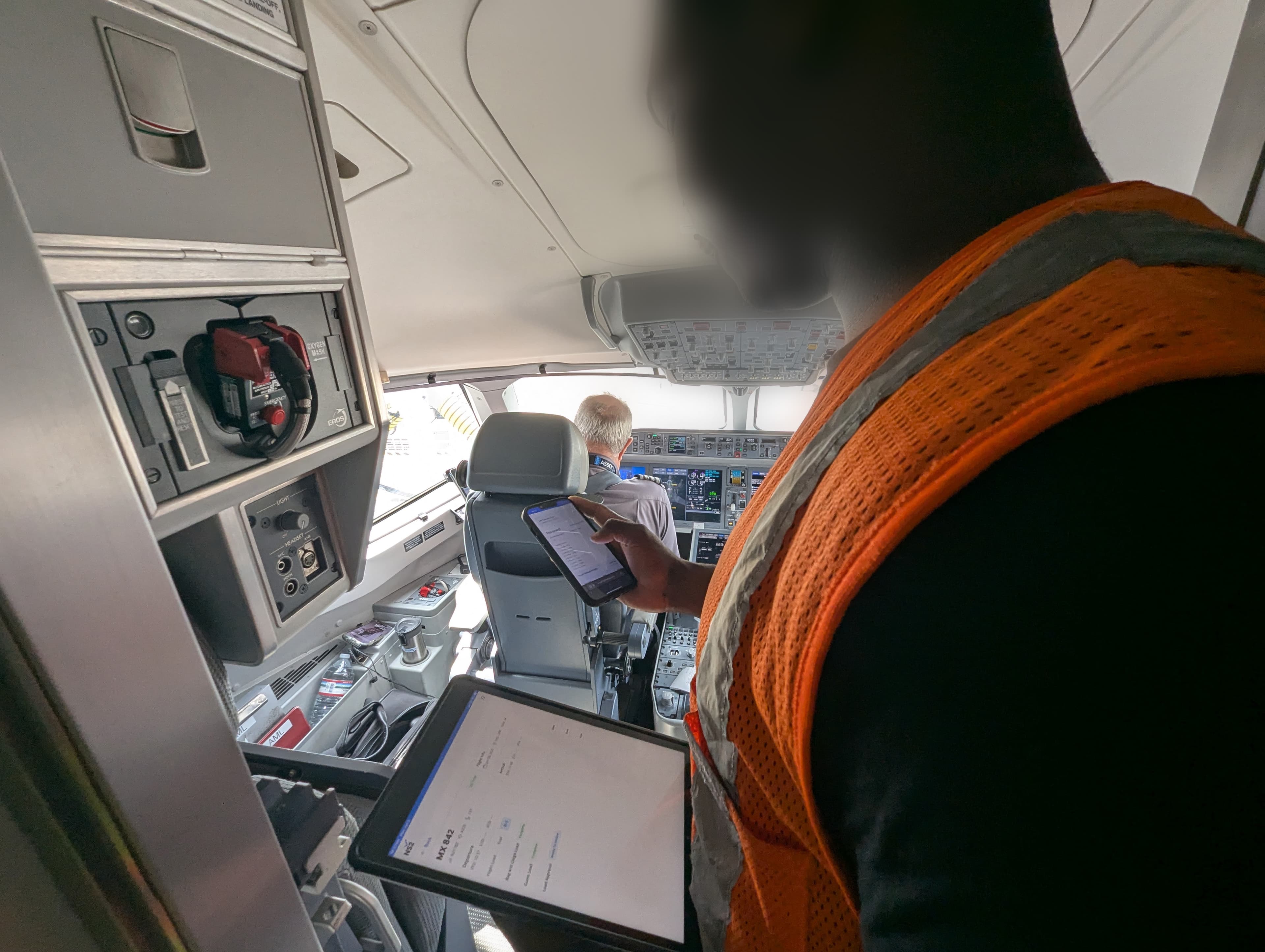
The pilot cockpit handoff: digital sign-off replaced the paper process.
Version 2 also introduced Weight & Balance, a real-time center-of-gravity calculation built in-house by a developer on our team. It replaced a paid third-party vendor, optimized center of gravity beyond just the safe range (the lever for fuel efficiency), and automated bag distribution instructions for ramp agents.
- Wrong-bin loading: designed out
- Role-separated flows: each role owns its portion
- In-house Weight & Balance: third-party vendor replaced
Bag scanning and DOT compliance
A new DOT requirement mandated that airlines notify passengers when assistive devices (wheelchairs, walkers, etc.) were loaded onto and off of their aircraft. We had no bag tracking infrastructure. This became the catalyst for building one.
An earlier camera-based scanning initiative at Breeze had failed in testing. There was significant organizational hesitancy around trying again. By this point, though, our team had built strong collaborative relationships with station and training teams, enough credibility to run a proof of concept using the existing iPads already deployed at every gate.
The result was a fast, reliable camera-based scanner that worked well in real operational conditions. It cleared the bar for a full rollout.
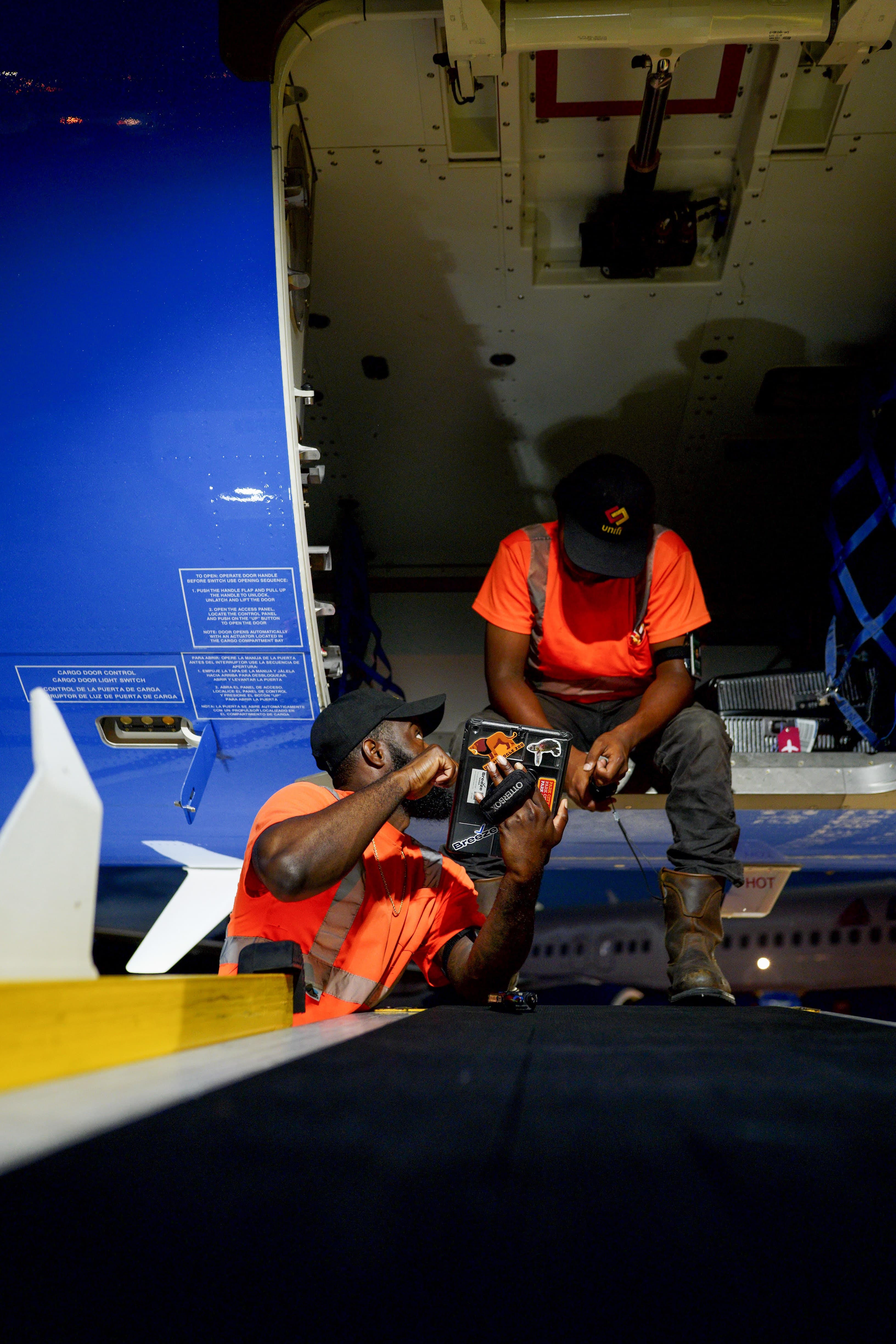
The review screen: agents verify bag counts and weight data before submission.
Camera-based bag scanner prototype: scan a boarding pass and bag tag to track checked luggage.
Counter check-in transformation. Previously, checking a bag required navigating legacy desktop software with memorized command sequences. With the scanner, an agent now scans a boarding pass and a bag tag, and they’re done. Significantly faster, significantly lower error rate.
Scanning-first load sheet (in development). The next evolution eliminates manual bag counting entirely. Instead of agents keeping a mental count, the load sheet tracks bags as they’re scanned and notifies agents when the expected count is met. Machine vision replaces human counting, closing the last major manual error point in the ramp workflow.
The load sheet project taught me that safety-critical tools in high-turnover, high-pressure environments demand a fundamentally different design philosophy. The goal isn’t a powerful interface; it’s a constrained one. Every feature we added was evaluated not just by what it enabled, but by what mistakes it made harder to make.
The north star of “you only work on what you work on, when you’re working on it” turned out to generalize well across every major design decision: role-separated flows, the focus mode header, the plane diagram, scanning-first data entry. When the interface limits scope intelligently, accuracy follows.
The weight and balance work also reinforced something I value in cross-functional collaboration: the best product improvements often come from a team member saying “I think we can just build this ourselves”, and being right.